Build enterprise applications
with Vaadin and Jmix

Create production-ready business applications in Java using Vaadin
for the UI and Jmix for backend architecture, data management, and security

Why Vaadin developers choose Jmix

Enterprise-ready architecture 
Familiar Vaadin-based UI for easy full-stack development
Add-ons for enterprise application needs 
Built-in AI tools for development
Visual development tools

Use cases for Vaadin
and Jmix applications 

Internal systems
Build secure tools for operations, analytics, and process automation.
Admin panels 
Create admin UIs with CRUD, role-based access control, and audit.
Customer portals 
Develop self-service portals with user roles and secure data access.
Back-office applications
Support finance, HR, and logistics workflows with a single Java stack.
how-we-deliver screen

About Jmix

Jmix is an open-source Java platform for enterprise software development with governed AI integration.

It extends Vaadin and Spring Boot with a data-centric architecture, built-in role-based security, and visual development tools, enabling Java teams to design, build, and scale enterprise web applications without rebuilding backend infrastructure from scratch.

AI in Jmix is integrated into the development workflow and operates on your domain model, helping generate Vaadin views, manage data interactions, and accelerate implementation while preserving architectural integrity. This approach ensures predictable development, maintainable code, and long-term system evolution without vendor lock-in or runtime fees.

rating
rating
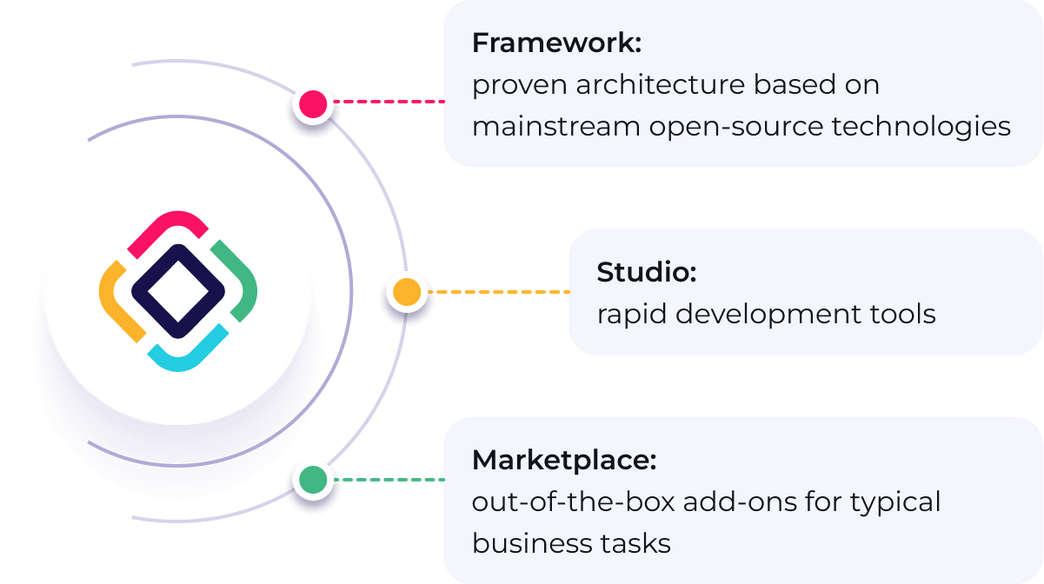
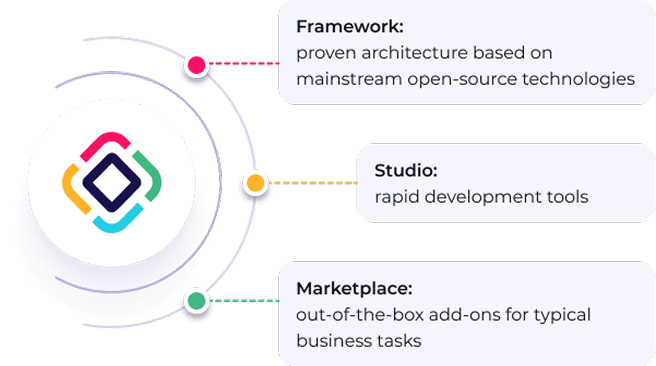
Framework:
proven architecture based on
mainstream open-source technologies​
Studio:
rapid development tools​
Marketplace:
out-of-the-box add-ons for typical
business tasks​
rating

AI in Jmix is integrated into the development workflow and operates on your domain model, helping generate Vaadin views, manage data interactions, and accelerate implementation while preserving architectural integrity. This approach ensures predictable development, maintainable code, and long-term system evolution without vendor lock-in or runtime fees.

10 years
Est. 2016
International
Offices in the UK, Europe and worldwide
Used in
170+ countries
400+
enterprise projects completed
Millions
of end-users
25,000+
Java developers build apps with Jmix

Key features
for Vaadin
developers:

AI-assisted Vaadin UI development Use AI to generate and adapt Vaadin views and data bindings based on your domain model. Jmix AI Assistant understands Jmix and Vaadin architecture, producing code aligned with your application structure.
Declarative XML Layouts Jmix introduces a declarative approach to building Vaadin views. Use XML descriptors to define the layout and Java code to implement the logic.
Data-aware UI Components Extended Vaadin components can bind directly to entities for displaying, editing, filtering, and validating data. Custom Jmix components, such as the Generic Filter, make it easy to integrate business functionality into your views.
Entity-Centric Architecture Jmix uses entities as the central building blocks of the application. The same entity model is used across persistence, UI data binding, security rules, and business logic, reducing boilerplate and keeping the architecture consistent.
Security Out of the Box Jmix provides built-in security for your application. Access rules defined for entities and their attributes are automatically applied to UI components bound to that data. If a user does not have permission to view a field, the corresponding UI component will not be displayed.
Add-ons for Enterprise Features Jmix offers ready-made modules for common tasks, including report generation, business process management (BPM), audit, and more - all available through the marketplace.
Visual Development with Jmix Studio Jmix Studio is a visual development environment integrated into IntelliJ IDEA. It provides tools for designing the data model, generating Vaadin UI, managing database migrations, and configuring application features.
CRUD View Generation Jmix Studio can generate CRUD views for entities based on their metadata. These generated views serve as a starting point and can be fully customized using standard Vaadin development.
Hot Deploy Hot Deploy allows you to apply project changes to the running application instantly, without restarting the application server. Update the code and see the results immediately.
Native Vaadin Development Developers can use standard Vaadin components, community add-ons, and commercial Vaadin components without restrictions, because a Jmix application is a Vaadin application.

Enterprise-grade Security for Vaadin Applications

Vaadin works with Spring Security for authentication and route control, while Jmix adds enterprise-grade data-level security.
Rules are defined once and automatically enforced across the UI, data, and business logic.
Security Level
What It Controls
row icon
View access
Access to application views
row icon
Entity permissions
Permissions for viewing, creating, updating, or deleting entities
row icon
Attribute permissions
Control over visibility and modification of entity fields
row icon
Row-level security
Determines visibility of individual records
row icon
UI enforcement
Security rules are automatically applied in the UI

Enterprise UI Components for Business Applications

Jmix enhances Vaadin with components designed for real-world enterprise use cases.
lamp icon
These components are tightly integrated with the data model and reduce the amount of custom code required.
Component
What It Provides
row icon
Generic Filter
Advanced filtering UI for complex queries
row icon
Pagination
Efficient handling of large datasets
row icon
Data Grid
Entity-aware tables with sorting and editing
row icon
File storage fields
Upload and manage files within the application
row icon
Entity pickers
UI components for selecting and linking entities
Ready-Made Enterprise Features
Most enterprise applications require the same capabilities. 
Jmix provides them out of the box – fully integrated with your application architecture.
Features
Reports
Generate business documents using DOCX, XLSX, or HTML templates.
Learn more
Features
tag icon
Business Process Management (BPM)
Model and execute business workflows using BPMN diagrams.
Learn more
Features
Audit
Track entity changes and maintain a complete history of data modifications.
Learn more
Integration
REST API
Expose application data and services through REST endpoints.
Learn more
Features
Data Tools
Import, export, and inspect application data using built-in administrative tools.
Learn more

Sign up for a demo showcasing Jmix
use cases

Frequently Asked Questions

Jmix is an open-source Java platform for building enterprise applications. It uses Vaadin for the UI layer and adds backend infrastructure such as data management, security, and business logic on top of Spring Boot.
Yes. Jmix is fully compatible with Vaadin. You can use standard components, custom UI, and any Vaadin add-ons without restrictions.
Vaadin focuses on UI development. Jmix provides a complete application framework - including data modelling, security, business logic, and enterprise features - reducing the need to build infrastructure manually.
Yes. Jmix is designed for enterprise systems with complex data models, strict security requirements, and long-term maintainability.
Yes. Jmix is a developer-first framework. You can work fully in code, while Studio is optional and helps speed up routine tasks.