

You can pick any of those
or get a combined training

Files in Jmix
Duration: 1 hour
This course covers the API and ways to work with files in Jmix.
Course program:
- Storing files in the application - approaches and Jmix implementation
- The FileStorage service - architecture and usage
- Working with files in the administrative user interface
- Integration with AWS s3 file storages
Result:
You will learn to handle file uploads and downloads efficiently without overloading server memory. You'll gain the ability to switch between local storage and Amazon S3, allowing your application to scale and handle large volumes of data securely.

Reporting development
Duration: 4 hours
This course discusses the capabilities of the Jmix framework report generator.
Course program:
- Jmix report generator overview
- Report Wizard
- Using Groovy to fetch data
- Reports created during development process
Result:
You will learn to empower end-users to generate their own reports (PDF, DOCX, XLSX) using familiar tools like MS Word or Excel as templates.

Full-text search
Duration: 2 hours
This course covers the Full-text search module: connecting, configuring, and using in Jmix applications.
Course program:
- Full-text search system architecture
- Scaling the full-text search engine
- Integration of search instruments in the UI
- Integration with OpenSearch & ElasticSearch
Result:
You will learn to implement a powerful search across all entities and even uploaded files using Elasticsearch or OpenSearch.

Maps add-on
Duration: 4 hours
This course covers the module for working with maps: programming interfaces, layers, and maps in the administrative user interface.
Course program:
- The main components of the Maps add-on
- Connection of the add-on data model with maps and diagrams
- Map projection and data update in real time
Result:
You will gain the ability to integrate professional geospatial features (layers, heatmaps, real-time tracking) into your UI.

Charts add-on
Duration: 4 hours
This course covers the module for displaying diagrams in the administrative user interface of Jmix applications.
Course program:
- Add-on components
- Dynamic data update
- Data binding and events handling
Result:

Emailing functionality
Duration: 2 hours
This course covers the possibilities of working with email in Jmix applications.
Course program:
- Synchronous and asynchronous sending
- Email sending settings and usage of templates
- Sending of attachments, email sending history
Result:
You will be able to automate notifications, send newsletters, and manage email history with support for templates and attachments.

Multi-tenant Applications
Duration: 2 hours
This course covers the possibilities of creating multi-tenant Jmix applications.
Course program:
- Definition of multitenancy. Approaches to building multitenant applications
- Basics of Implementation in Jmix
Result:
You will gain the skills to serve multiple independent clients (tenants) from a single application instance, ensuring strict data isolation so one client never sees another's data.

Creating Add-ons
Duration: 1 hour
This course gives an overview of creating a custom Jmix add-on.
Course program:
- How to create an add-on by using template
- Integration of the add-on in a Jmix application.
Result:
This approach is ideal when you require a more tailored solution for your application.

REST API Add-on
Duration: 1 hour
The course covers the capabilities of the REST API add-on.
Course program:
- Installation, configuration, and use of endpoints
- Configuring access to endpoints
- Custom services in REST API
Result:
This training empowers you to expose your data model and business logic to external systems (mobile apps, third-party services) automatically, without writing complex controllers. You will learn to secure these endpoints and create custom services for specific business needs.

Tabbed Window Mode
Duration: 2 hours
This course covers tabbed window mode for organization and administration of content in applications.
Course program:
- Creating, adjusting and switching between tabs
- Implementation of tabbed interface in an application
- Basics of migration to tabbed mode
Result:
You will gain skills in organizing complex application content into a browser-like tabbed interface, improving navigation for power users.

Testing Jmix applications
Duration: 2 hours
This course covers tools, libraries, and software components designed for testing Jmix applications, and their usage methodology.
Course program:
- Modular tests
- Integration tests
- UI tests
- Usage of Masquerade 2.0
Result:
You will master Masquerade 2.0, a library specifically designed for Jmix to automate UI testing. This ensures that your application remains stable and bug-free even as you add new features.

Using Jmix Studio efficiently
Duration: 1 hour
This course covers the unique features of Jmix Studio, which allow you to speed up the development and reduce the number of errors in the code.
Course program:
- Designers & wizards
- Instrumentation panel
- Code Snippets
Result:
You will speed up your development cycle by mastering visual designers, wizards, and code snippets, which reduce manual coding errors and automate routine tasks.
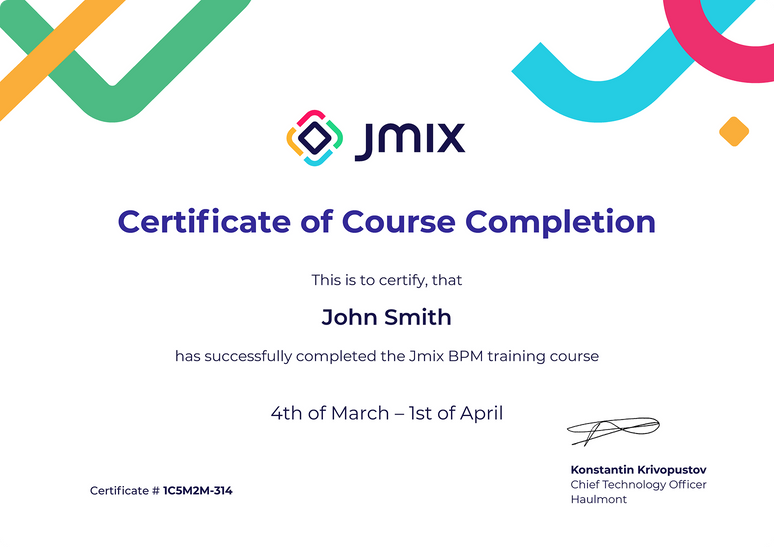
After the course you will get a Certificate of Completion
and a nice badge for social media