Overview
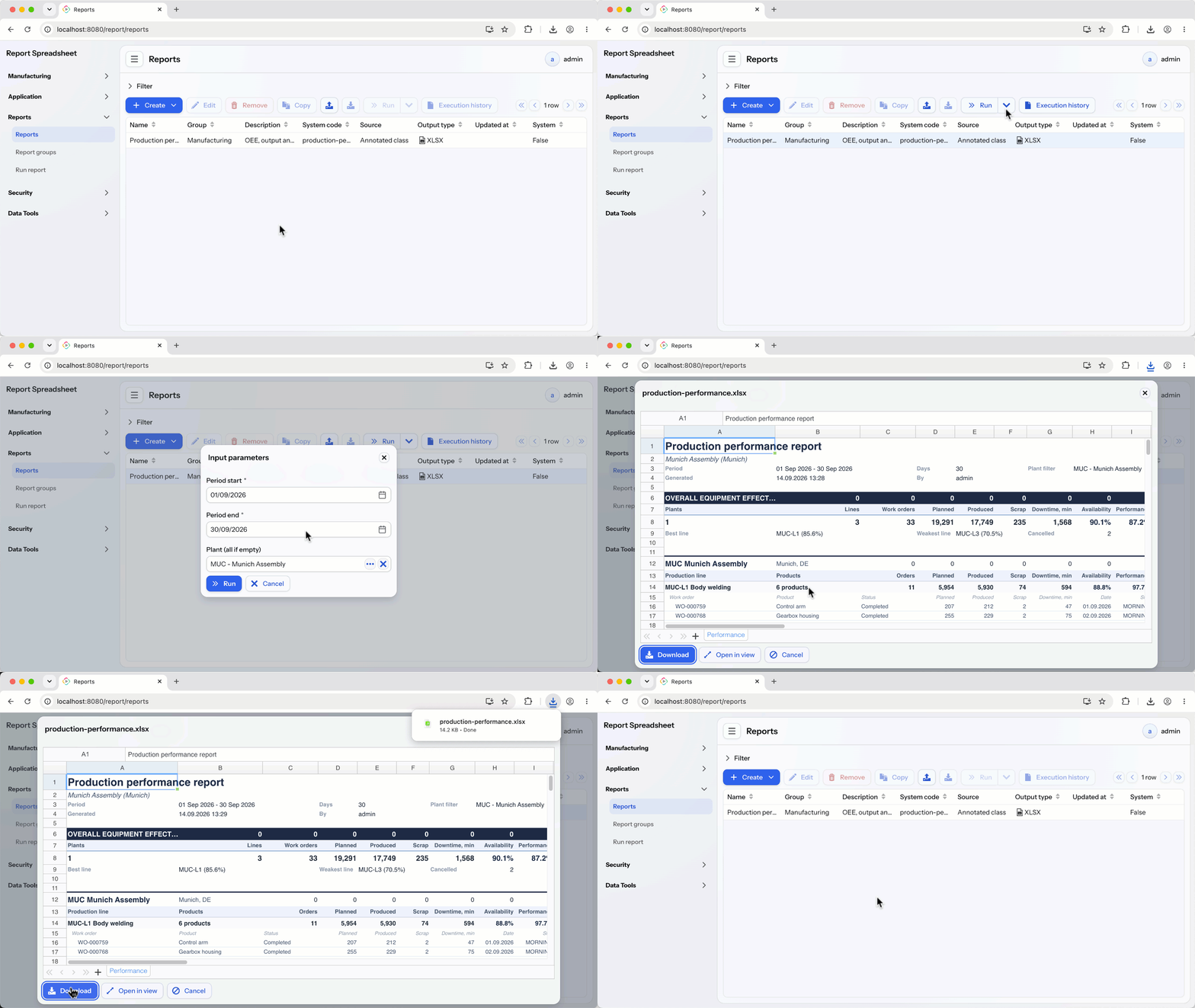
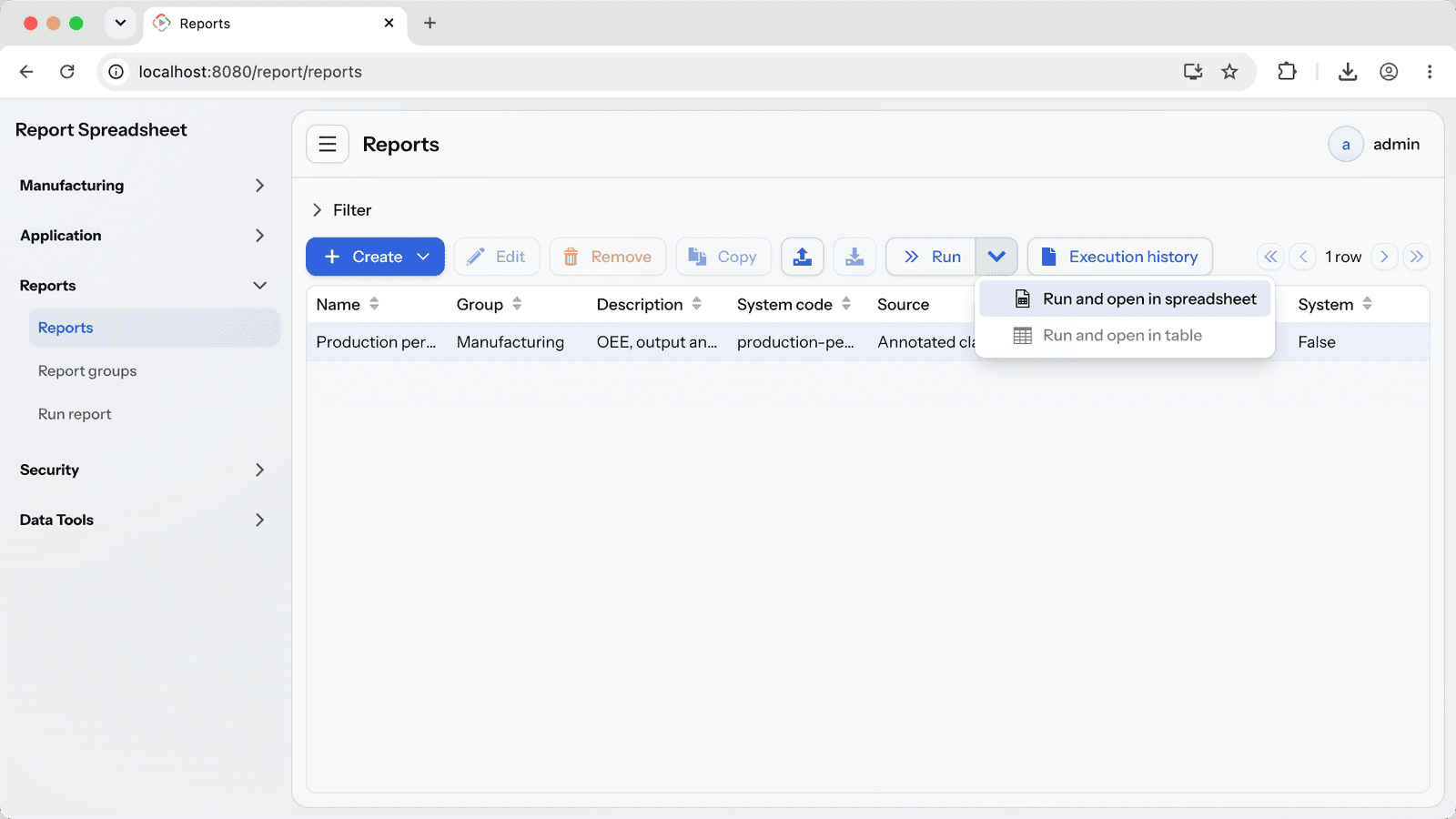
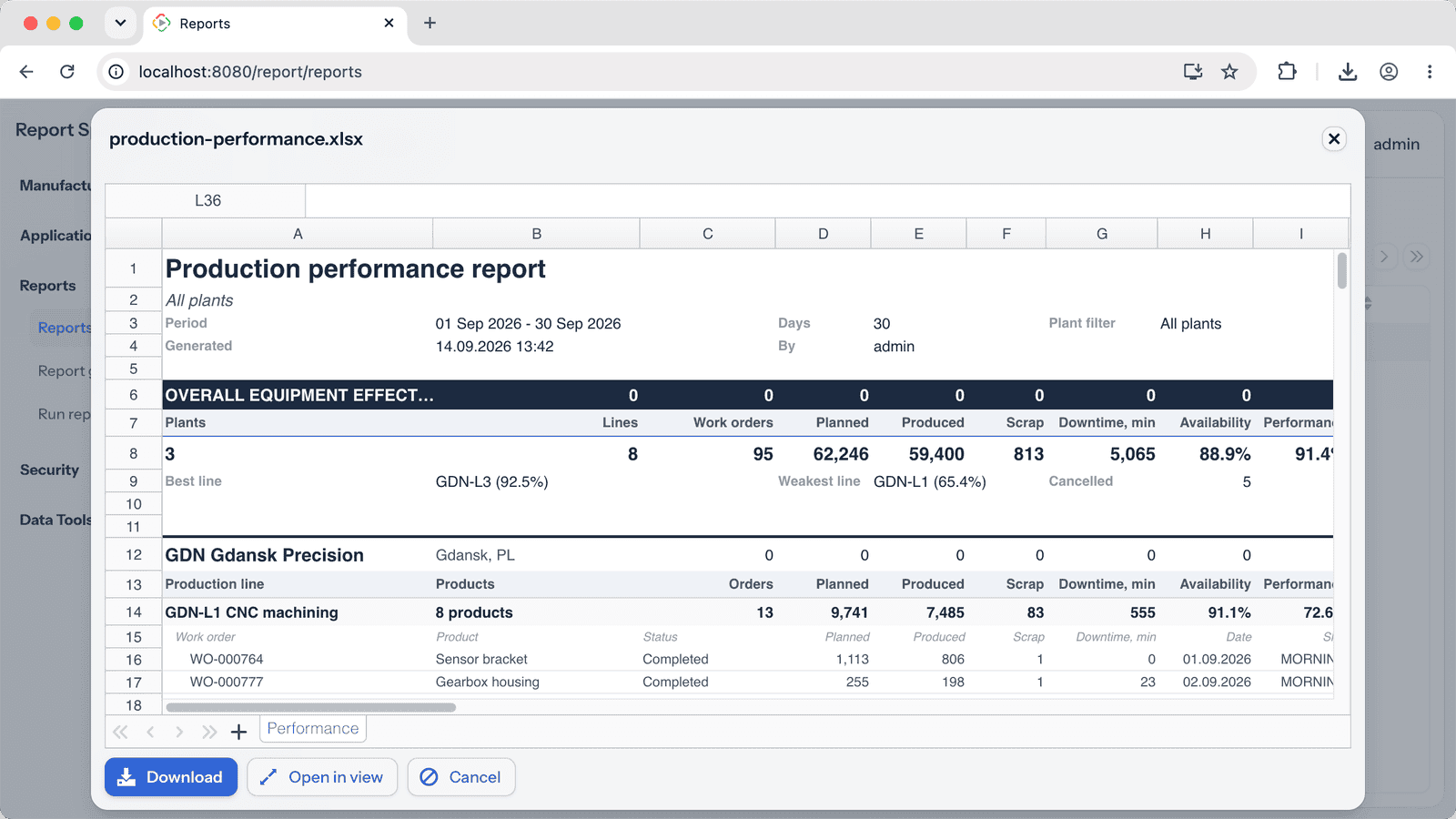
Report Spreadsheet connects the Jmix Reports add-on with the Vaadin Spreadsheet component, so XLS/XLSX report output opens in an interactive, in-browser spreadsheet instead of being downloaded as a file. When a user runs a report with a spreadsheet template, the generated workbook is rendered in a ready-to-use view - as a dialog or a full-page view - where it can be reviewed, edited and downloaded in its original format. The integration works out of the box: compatible reports are detected automatically and routed to the spreadsheet viewer with no extra code, and a programmatic API is available when you need full control.
Important: this add-on builds on the Jmix Reports and Vaadin Spreadsheet add-ons - both must be present in your project. Because it uses the commercial Vaadin Spreadsheet component, an active Vaadin subscription for Jmix is required.
Use Cases
- Interactive report preview: let users open XLS/XLSX reports in a live spreadsheet and explore or edit the data on view before downloading.
- Edit-and-export: allow users to tweak generated report output in the browser and download the modified workbook in its original format.
- Inline reporting views: build report views where results appear inline as an editable spreadsheet rather than as a file download.
Key Features
- Reports-to-spreadsheet bridge: renders XLS/XLSX report output in the interactive Vaadin Spreadsheet component.
- Zero-config integration: reports with spreadsheet templates are detected and shown in the viewer automatically, with no extra code.
- Ready-to-use view: a built-in dialog/full-page view (route report/spreadsheets) for viewing, editing and downloading the result.
- In-browser editing and download: users can edit the workbook and download it, with automatic XLS/XLSX format detection.
- Flexible open modes: show results as a modal dialog or a full-page view, configurable via application properties.
- Programmatic API: run a report and show its result in the spreadsheet via SpreadsheetReportRunner.
- Smart template filtering: only spreadsheet-compatible templates and output types are offered, and redundant selection dialogs are hidden.
Turn your Jmix reports into interactive spreadsheets with the Report Spreadsheet add-on.