Overview
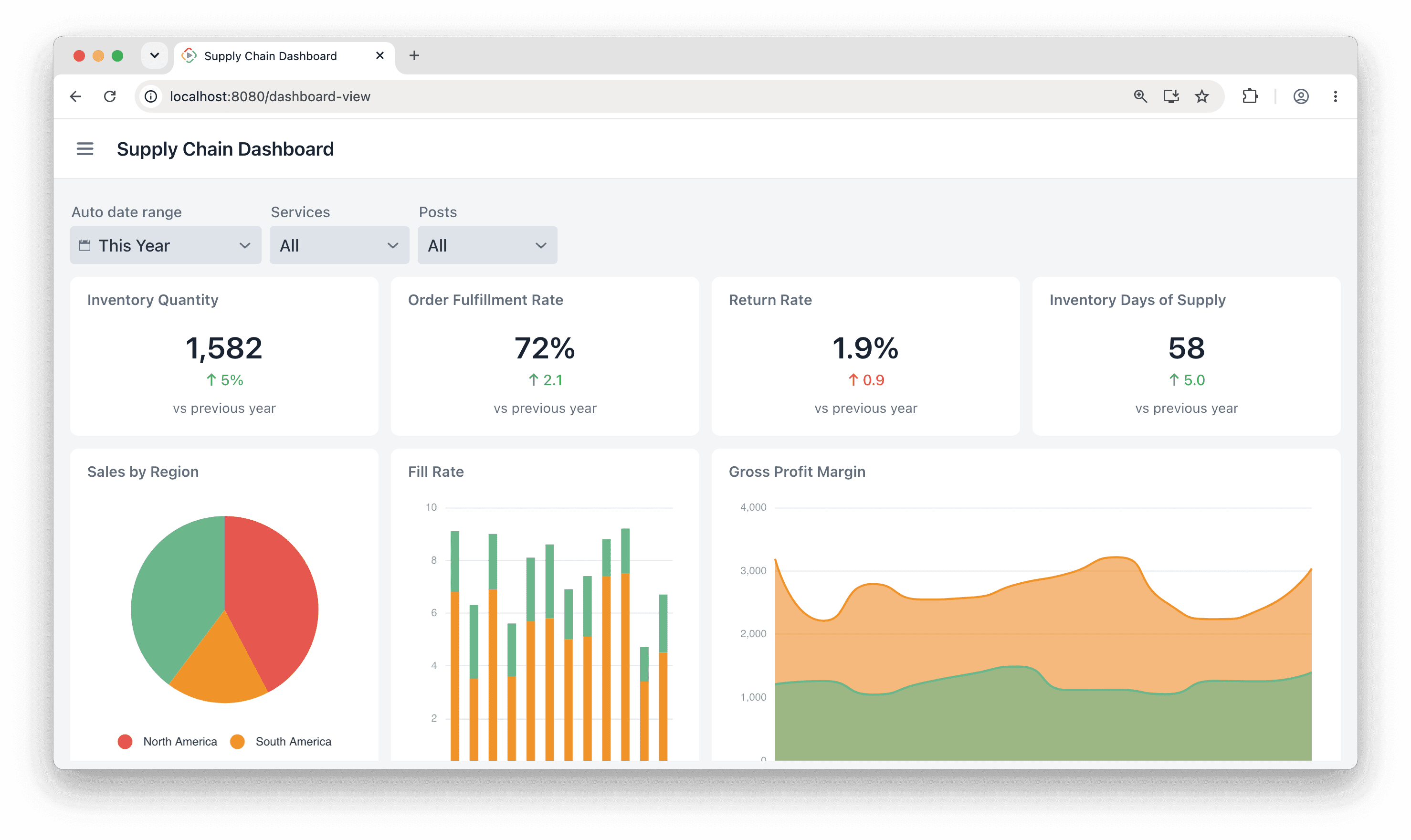
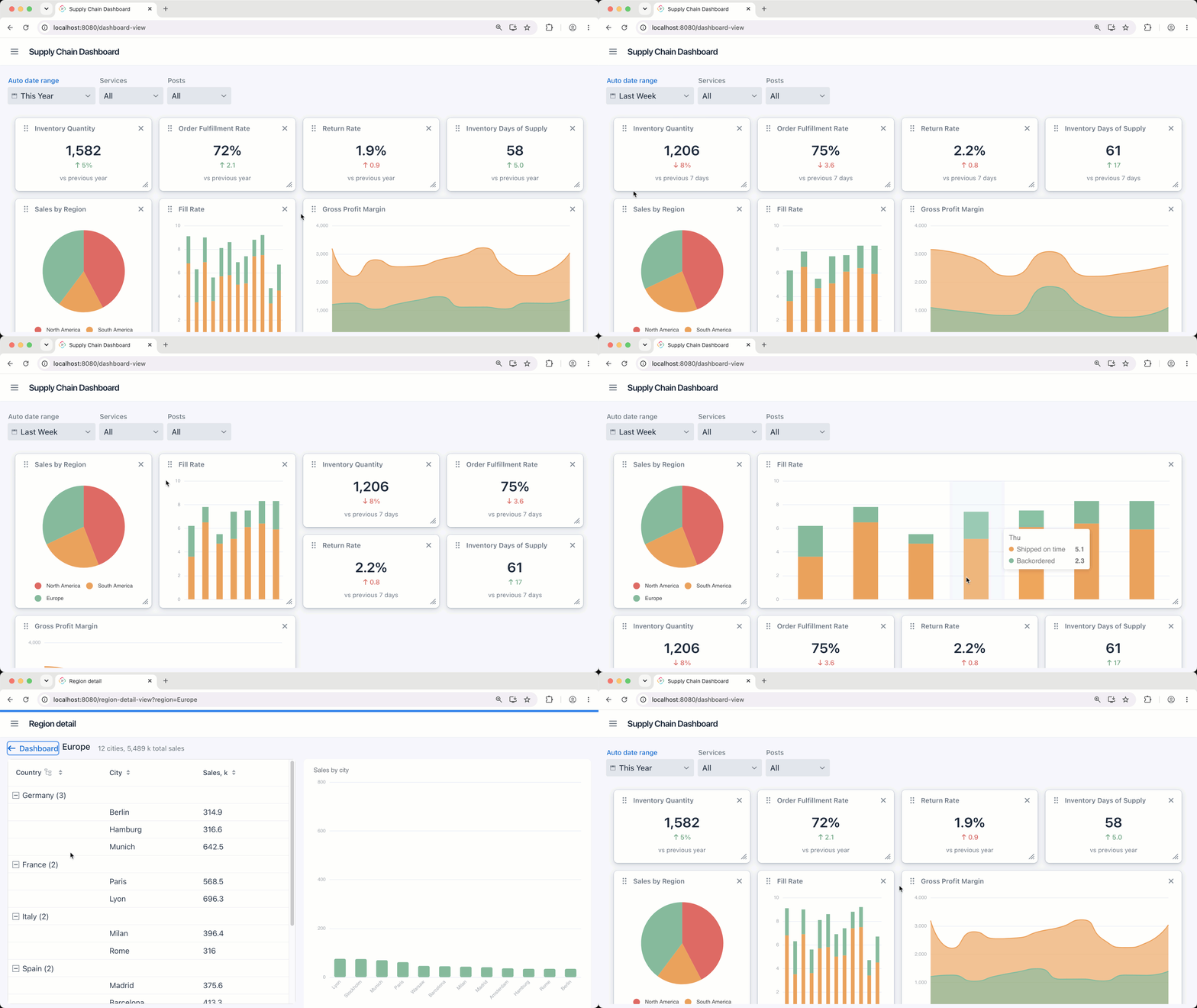
Add interactive, customizable dashboards to your Jmix application with the Vaadin Dashboard add-on. Built on the official Vaadin Dashboard component, it lets you arrange content into a responsive grid of widgets and sections that users can rearrange, resize and reorder at runtime. Compose dashboards declaratively in your view XML - placing any Jmix UI component, chart, data grid or form inside a widget - or build and update them programmatically through a Java API. The layout adapts automatically to screen size, and an editable mode turns the dashboard into a personal workspace your users can tailor to their needs.
Important: this is a commercial Vaadin component, so using this add-on requires an active Vaadin subscription for Jmix..
Use Cases
- Analytics dashboards: combine charts, KPIs and data grids into a single responsive overview view.
- Personalized workspaces: let users rearrange, resize and remove widgets at runtime to build the layout that fits their workflow.
- Modular home views: assemble an application landing page from independent, reusable widget cards grouped into sections.
Key Features
- Built on Vaadin Dashboard: the official commercial Vaadin Dashboard component, fully integrated into Jmix UI.
- Declarative composition: define dashboards, widgets and sections directly in view XML, with any Jmix component as widget content.
- Responsive grid layout: configurable column count, column width and row height so the layout adapts to any view.
- Editable mode: drag-and-drop reordering, widget resizing, moving and removal - all available to end users at runtime.
- Sections and widgets: group related widgets into collapsible sections, control sizing with colspan and rowspan, and add custom widget headers.
- Theming and i18n: built-in theme variants and fully localized edit-mode controls.
- Studio support: visual design-time tooling with component palette, property editors and live preview in Jmix Studio.
Build dashboards your users can make their own with the Vaadin Dashboard add-on.