


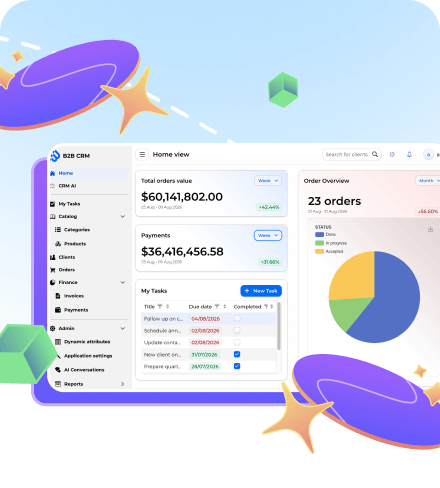


How an open source B2B CRM example built on Jmix and Spring AI delivers an AI assistant that inherits user permissions through the existing Jmix security model, and why a curated tool surface beats AI over your SQL.
Introduction
Most enterprise teams building line-of-business systems are working around the same constraints. Plumbing work eats months that should go into the actual domain. Packaged products solve part of the problem but lock the team into a data model and a roadmap that were not written for them. And anything touching customer data has to satisfy auditors, security reviewers and regional regulations from day one.
The Jmix B2B CRM demo is one piece of evidence that there is a workable middle ground. It is a complete, open source CRM system example built on the Jmix platform with Java, Spring Boot and a Vaadin UI, and it ships with an embedded AI agent powered by Spring AI. The agent has agentic capabilities (tool use, multi-step planning, report orchestration) and answers business questions in natural language over real CRM data. Crucially, it does so by going through the same Jmix data layer the rest of the application uses, which means the same row-level and attribute-level permissions apply to it.
This article is for enterprise Java teams evaluating Jmix as a foundation for AI CRM features inside an existing application. It walks through what is in the demo, how its modules fit together, and how the AI assistant is implemented and configured. For teams evaluating AI CRM capabilities, the interesting question is not whether you can wire an LLM to your data (anyone can) but what happens when the model has to live inside the same rules as the rest of the application.
What Is Jmix and Why Enterprise Teams Need It
Jmix is an open source, high-productivity development platform for backend Java developers, built on top of Spring Boot. It is not a no-code tool, and it is not a UI library. Its purpose is to take the recurring infrastructure work off your team’s plate, the kind every line-of-business application needs and no team enjoys writing from scratch, so the team can spend its time on domain logic Instead of recreating the skeleton of the project.
The platform is delivered on three pillars. The Jmix Framework is the runtime: a set of open source libraries providing data access, a security subsystem, file storage, a REST API and a Vaadin-based UI layer, plus audit fields, project scaffolding and the rest of the everyday infrastructure. Jmix Studio is an IntelliJ IDEA plugin with visual designers for the data model, view layouts and BPMN diagrams, plus boilerplate generation and project management. The Add-ons Marketplace contributes ready-to-use functional modules (Reports, BPM, Charts, Notifications, Maps and many more) that drop into a project as standard Java library dependencies, complete with schema, services and UI screens.
Where it fits: line-of-business applications where the data model is the centre of gravity. CRMs, ERPs, claim management, internal admin panels. Anywhere you need persistent data, role-based access, audit trails, and a UI that is fast to build and easy to evolve.
For a deeper introduction see the Jmix overview, the Framework page, the Get Started guide, and the AI Assistant for Jmix Studio.



Overview of the Jmix B2B CRM Demo
The Jmix B2B CRM is an open source CRM application that developers can browse as a live demo, clone and run locally to inspect the codebase, or fork as the foundation for their own production B2B CRM deployment. It models a typical B2B sales workflow end-to-end.
CRM Modules and Functional Blocks
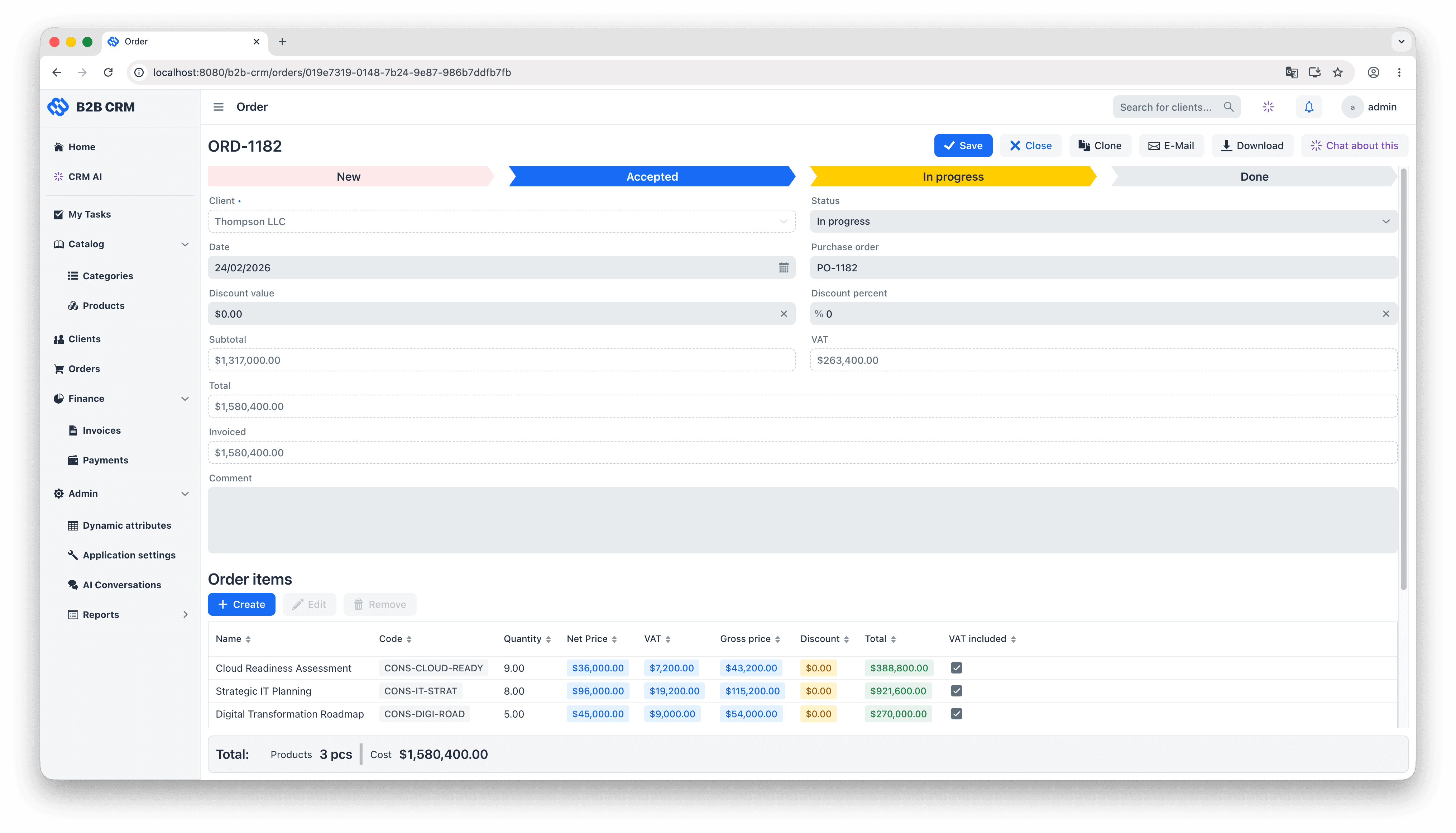
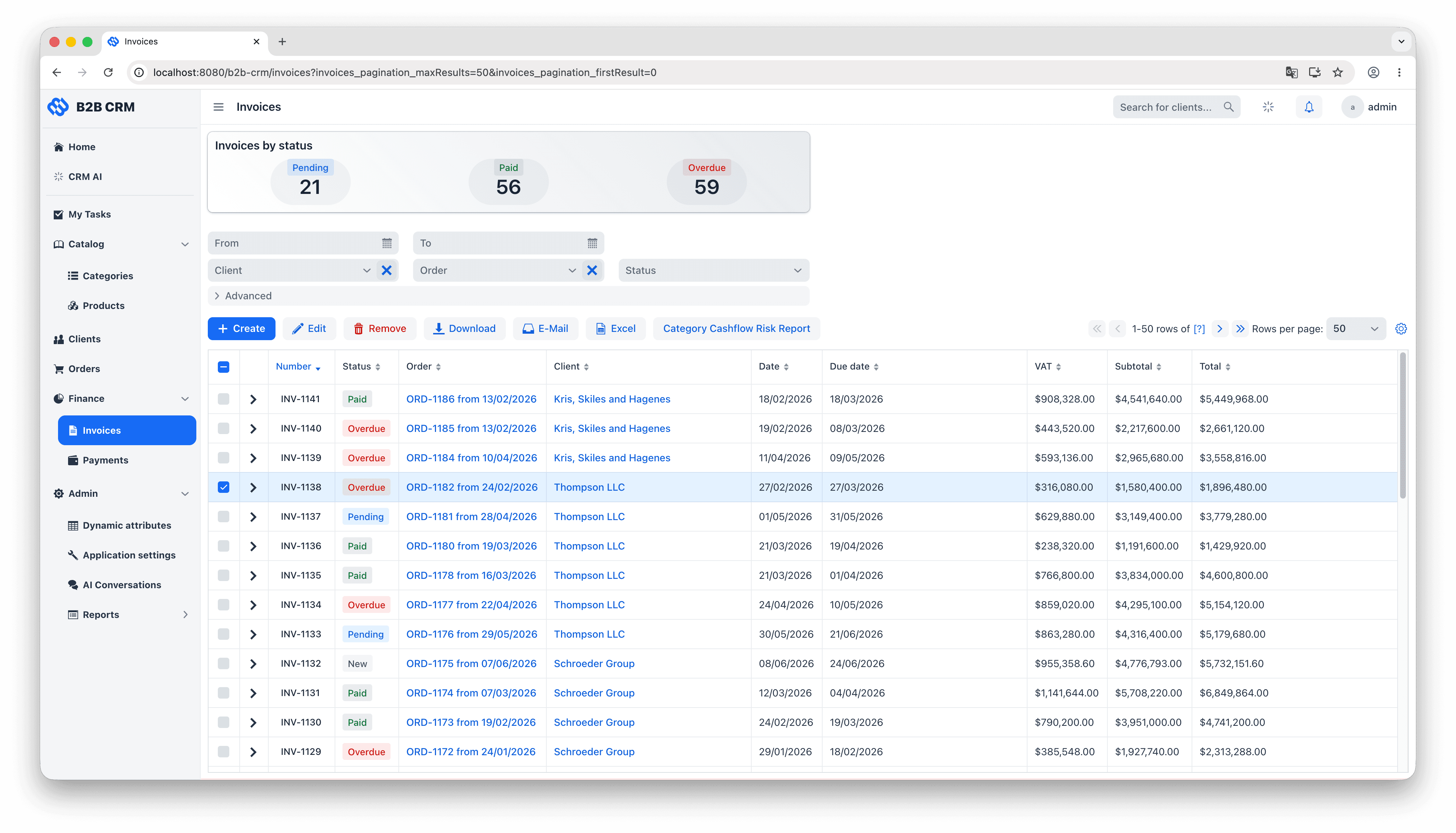
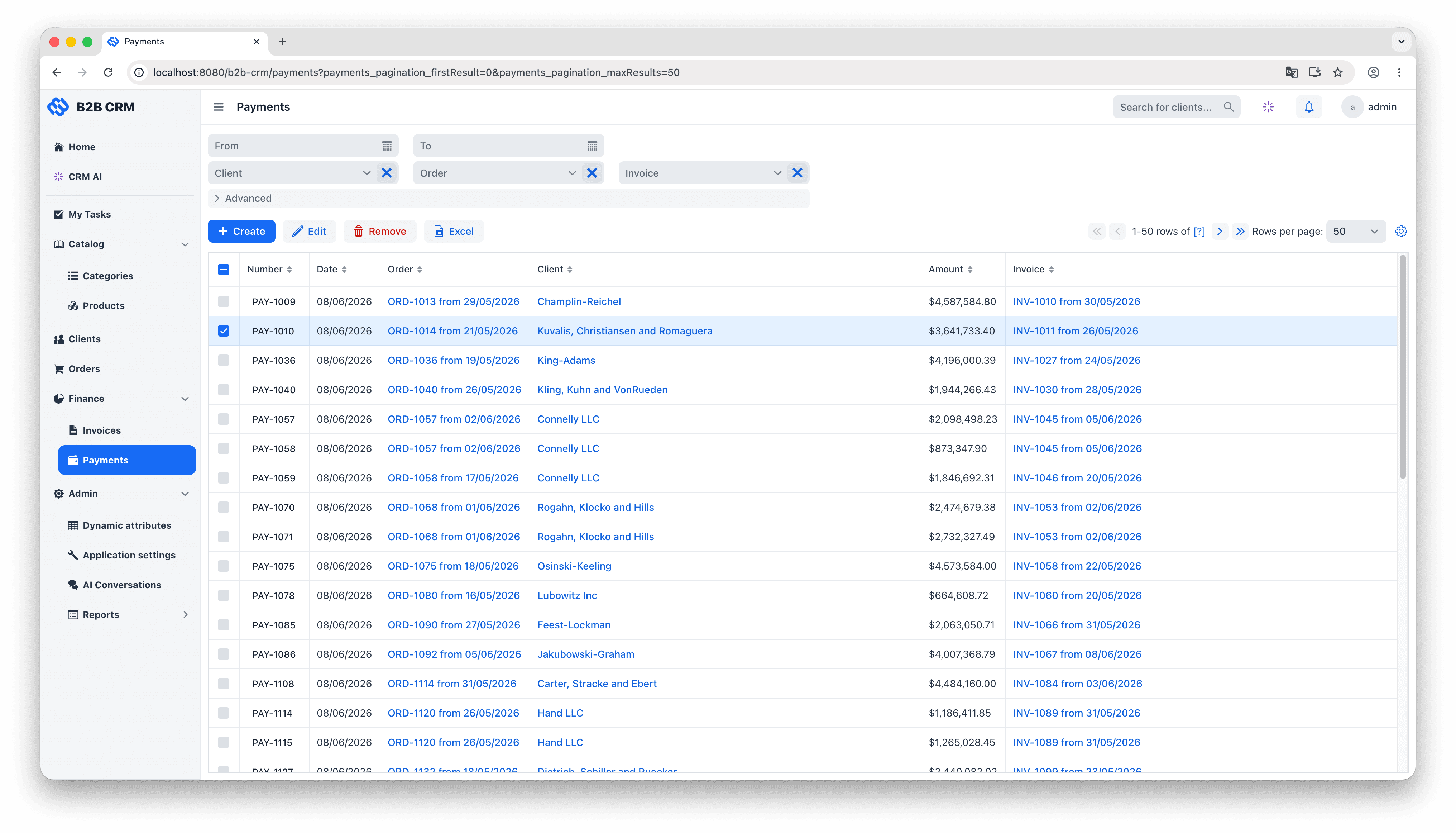
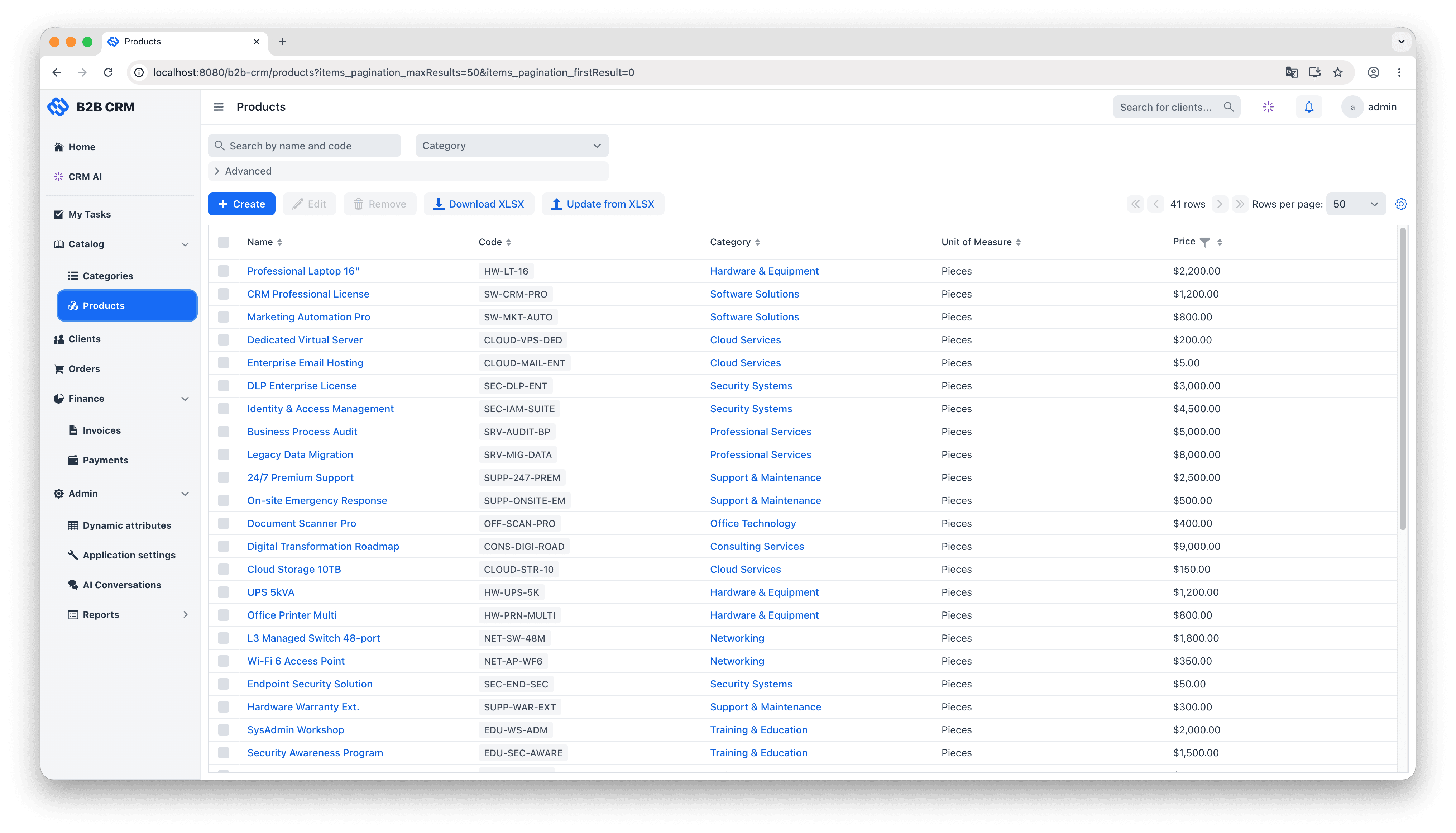
The data model groups into three layers. At the centre are the customer entities: each Client (a company you sell to) owns its Contacts (the people inside it, with their interaction history and activity feeds), its Addresses, and the rest of the records that depend on it. Wrapped around that is one continuous commercial workflow: an Order is quoted with OrderItems pulled from the product catalog, an Invoice is generated and moves through the lifecycle of issued, paid and overdue, and Payments come in to reconcile against the invoice (partial payments included). Two supporting layers feed the workflow: a product catalog of categories and category items with units of measure that supplies the order line items, and an analytics layer that turns the resulting transaction history into dashboards, embedded charts, and natural-language answers from the AI agent.
The live demo runs the same code as the GitHub repository.
Inside the AI CRM: An Assistant Built on Spring AI and the Jmix Data Layer
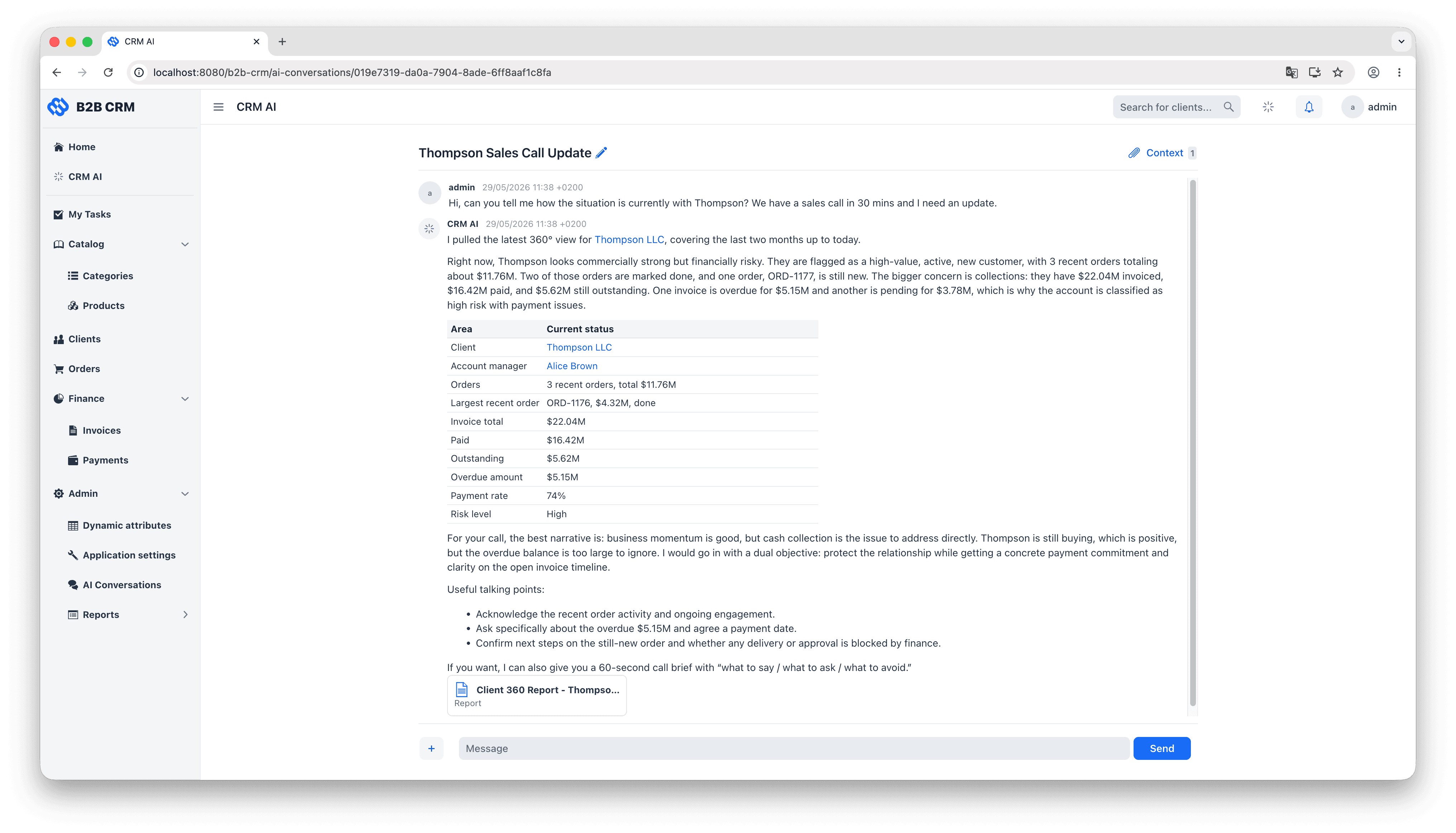
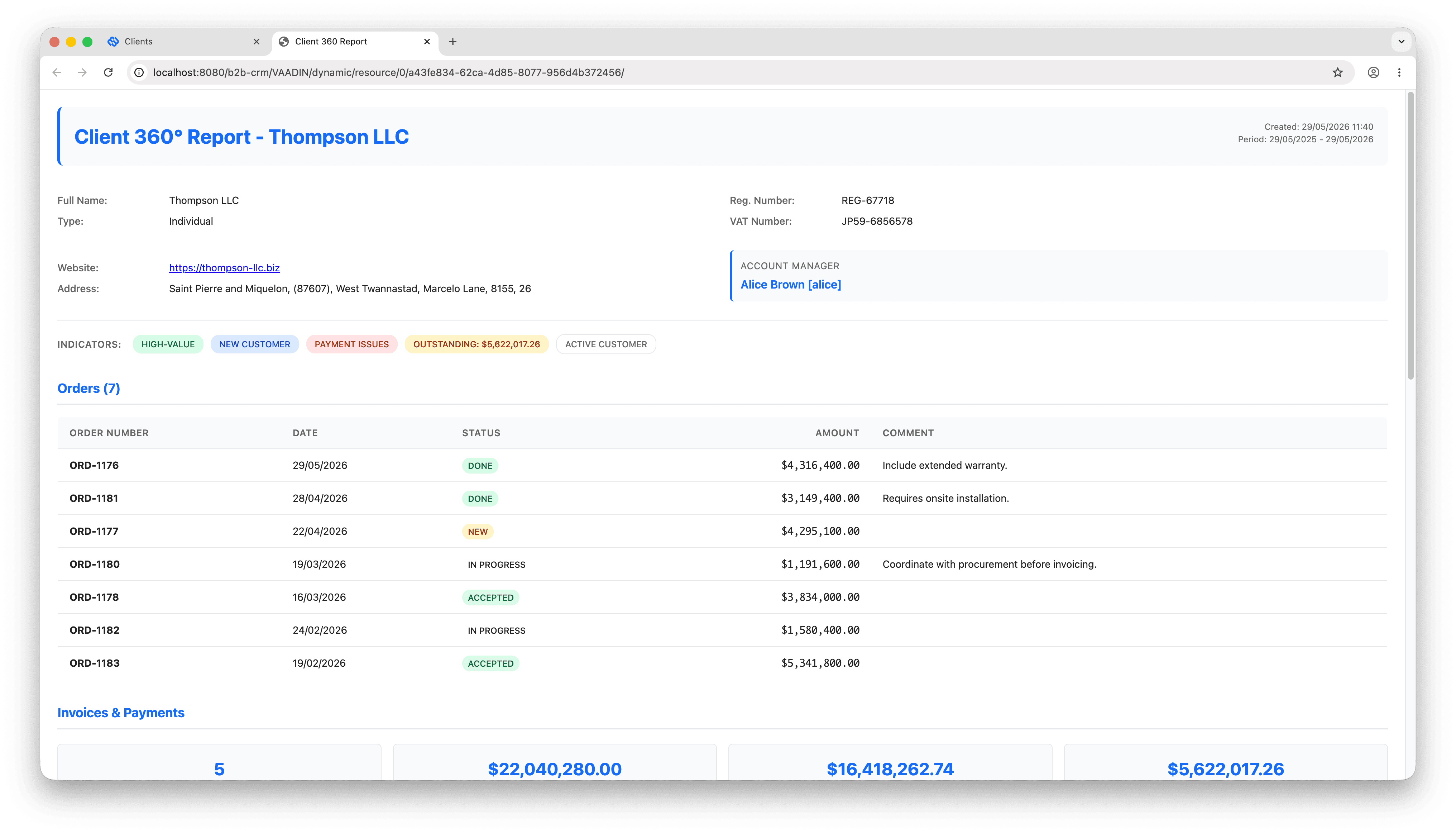
The CRM ships with an embedded AI agent that answers business questions in natural language. Typical prompts: “How many invoices are overdue this quarter?”, “Which clients in DACH had the largest revenue drop year on year?”, “Generate a 360-degree report for Wills & Sons.” The agent reads structured data, runs pre-defined business reports, and attaches the resulting documents back to the conversation as downloadable files.
Why Does a CRM Need an AI Assistant?
Three concrete user scenarios drive the design. Sales managers want a same-day answer to “show me the top ten clients by overdue balance” without opening a BI tool, filing a ticket, or learning SQL. Account executives preparing a customer call need a quick 360-degree view of a client (recent orders, open invoices, last contact) summarized in one paragraph. Operations leads track pipeline health in plain English: “which product categories are growing quarter on quarter?”, “where did fulfilment time slip last month?”. Nowadays, business people want to get ad hoc information 15 min before meetings with counterparties, rather than monitoring static figures on BI dashboards.
For an enterprise team, the payoff lines up on three points. Time-to-insight collapses from “thirty minutes and a pivot table” to “twenty seconds and a sentence.” Business calculations live as Jmix Reports, which means the agent reuses logic that has already been reviewed rather than reinventing it in prompts. And because the agent runs inside the application, no data leaves the system perimeter unless the user explicitly downloads it.
The AI Conversations screen is a two-pane chat: messages on the left, conversation attachments on the right. In a typical interaction, the user types “generate a Client 360 report for Acme”, sees a progress indicator while the agent thinks, and reads back a one-paragraph summary with clickable links to the underlying client and orders. The full report appears in the right pane as a downloadable HTML file the user can open or forward.
How the AI Assistant Works
The architecture follows the standard Spring AI agent pattern: a ChatClient running an agentic loop of user messages, model output and tool calls. The demo adds one strong opinion. The LLM is given a small, curated set of tools, and every one of them goes through the Jmix data layer. A typical open-ended question about a client (“how is Acme doing?”) triggers a chain of tool calls in sequence: discover the relevant entities, run a JPQL query against them, look up which pre-defined reports exist, and decide whether to run one of those reports or answer from the JPQL result alone. That kind of multi-step planning is what makes this an agent rather than a chatbot.

Spring AI as the foundation
Spring AI is the Spring-native abstraction over LLM providers. It exposes a uniform ChatClient API across OpenAI, Anthropic, Azure OpenAI, Bedrock, Ollama and others, with first-class support for tool calling, conversation memory, advisors for cross-cutting concerns like logging and retries, and primitives for embeddings and RAG. For a Spring Boot project the practical consequence is that the integration looks like ordinary Spring code, and switching providers is a dependency change rather than a rewrite. CrmAnalyticsService is a regular Spring @Service that uses this API and exposes processBusinessQuestion (question, conversation) as the single entry point the UI calls.
Persistent conversation memory
Memory is persisted via a JmixChatMemoryRepository, the project’s implementation of Spring AI’s ChatMemoryRepository interface. Every user, assistant and tool turn is stored as a ChatMessage entity in the application’s own database via Jmix DataManager. Because ChatMessage is just another Jmix entity, the regular security subsystem applies to it without any special wiring. In the demo, that means each user only sees their own conversations. This matters in an enterprise context. Every conversation is attached to a specific employee, along with their identity, the questions they ask, and the way they work. That makes the chat history personal data by definition, and GDPR-style obligations apply to it the same way they apply to invoices or contact records. Modelling the conversations as Jmix entities means the same retention, deletion and access rules govern the AI history that govern the rest of the system.
A Curated Tool Set
Within this agentic surface, the model decides which tool to call, in what order and with what arguments. The functionality exposed to the LLM is dedicated, and each piece of that functionality is itself bounded in scope. This is an architectural cornerstone of the design, not an implementation detail. Pre-defining the exact set of operations the LLM may invoke is what separates this approach from giving the model raw SQL access against the database, or letting it execute Groovy scripts on the server. For an enterprise CRM, what the LLM is allowed to do against the production database has to be both auditable and bounded in advance, not negotiated turn by turn at runtime.
| Tool | Backed by | What the LLM can do |
|---|---|---|
| Entity Discovery | Jmix MetadataTools and a YAML schema exporter. | Read the schema of allow-listed entities (fields, types, enum values, relationships) before writing any query. |
| JPQL Query | Jmix DataManager. | Run parameterized JPQL with mandatory aliases. Pagination, parameter conversion and security checks built in. |
| Reports Discovery | Jmix Reports add-on (ReportRepository). | List the reports the assistant is allowed to run, with their parameter schemas, templates and output types. |
| Run Report | Jmix ReportRunner and FileStorage. | Execute a whitelisted report and attach the rendered output to the conversation as a downloadable file. |
| Views Discovery | Jmix view registry. | Look up the route for an entity's list or detail view, so answers can include clickable deep links into the CRM UI. |
The detail worth lingering on is what each tool does not do. Entity Discovery exposes only allow-listed entity classes (Client, Order, Invoice, and so on); requests for anything else come back as an error string the model can recover from. JPQL Query routes through Jmix DataManager rather than raw SQL, which means the LLM only ever sees what the logged-in user is allowed to see.
Run Report executes a whitelisted report through the Jmix Reports add-on and attaches the rendered file to the conversation. Both Run Report and JPQL Query are exposed to the agent, but the system prompt steers the model towards Reports for any non-trivial business question. A very generic tool (raw SQL, freeform JPQL) gives the model maximum flexibility at the cost of consistency: the same prompt can come back with a different interpretation tomorrow than it did today.
Take a question like “which product categories are at cash-flow risk this quarter?”. If the model improvises a fresh interpretation each time it is asked (different time window, different overdue threshold, different aggregation rule), two managers asking the same question end up with two different stories. In an enterprise setting that is not a quirk; it is a business risk. Wrapping the calculation in a pre-defined Jmix Report and giving the model that Report as a tool turns the same question into the same numbers, every time.
The tempting way to give an LLM access to a database is to attach a “run any SQL” tool, or, in the modern variant, to hook it directly to PostgreSQL through an MCP server with read access. That works in a prototype and breaks in production for two specific reasons.
- It ignores the user permissions. There is no concept of who is asking. The model sees every row in every table that the database connection can reach, and any prompt-injection attack that produces a data-exfiltration query simply works.
- It moves business logic into prompts. Computing “overdue invoice” or “client lifetime value” from ad-hoc SQL the model writes is fragile and inconsistent across answers. Doing it through a Jmix Report that is parameterized, version-controlled and tested is durable.
The Jmix demo splits the difference. Ad-hoc questions go through JPQL via DataManager. Structured business answers go through Reports, where the calculation has already been agreed on. The comparison below summarises the trade-off.
| Concern | Direct SQL or database MCP | Jmix curated tool calling |
|---|---|---|
| User permissions | The LLM bypasses row-level and attribute-level security. It sees every row. | Every query routed through Jmix DataManager. RBAC, row-level and attribute-level constraints all apply automatically. |
| Business logic | Embedded in ad-hoc prompts. Brittle and inconsistent across answers. | Lives in Jmix Reports. Reviewed, parameterized, version-controlled. |
| Surface area | Anything the database can do, including writes and joins to sensitive tables. | A fixed allow-list of entities and report codes set at startup. Nothing else is reachable. |
| Output formats | Raw rows or model-rendered text only. | Reports return HTML, CSV or XLSX, persisted as conversation attachments. |
| Auditability | Hard to trace which prompt produced which answer. | Each tool call is logged. Report runs go through the same audit trail as the rest of the app. |



From Prototype to Production: Prompts Are Code, So Test Them Like Code
Wiring up tools and a system prompt gets you a working demo in an afternoon. Making it behave reliably for end users takes longer, and most of that time is prompt and tool-description work, not Java work.
The System Prompt and Tool Descriptions Are the Program
The model only knows what the system prompt and the @Tool descriptions tell it. The demo’s prompt grew from real failure modes: a fuzzy “Client & Contact Search Strategy” block was added because the model would give up on exact name matches; a hard rule about filtering enums by their numeric ID was added because the model kept writing semantically right but syntactically wrong WHERE clauses; a “Communication Style for a Non-Technical Audience” section was added because the model was asking end users to confirm UUIDs. None of these came from a specification. They came from running the assistant against real questions, watching it fail, and codifying the fix in the prompt so the same mistake would not happen again. Treat the prompt and the tool descriptions as source code, version them in Git, and review changes in PRs.
Model Size Affects Tool Orchestration
Modern frontier models (the GPT-5 / Claude Sonnet generation) are very strong at agentic multi-step orchestration: asking one of them for a 360-degree view of a client reliably triggers the right sequence of tool calls. Smaller and cheaper models (the GPT-5-Mini class) were measurably less consistent in our tests. Sometimes they skipped the entity-discovery step, sometimes they invented a tool name, sometimes they returned a fluent answer that quietly used the wrong report. They are not unusable for agent work, but they need shorter prompts, fewer tools per turn, and more explicit rules about what a good answer should look like. Practical guidance: use a frontier model for the analytics agent itself, and a cheaper one for narrow side-tasks like conversation-title generation.
Quality-Assuring the Agent
Quality assurance turned out to be the harder part of shipping this feature, harder than the integration itself. Ordinary unit tests assume the output is structured, but an agent’s reply is free text, and a small wording change in the prompt can break a previously-good answer in a way no static check will catch. The demo addresses this with an automated test suite that runs as part of the normal Java unit-test cycle. Internally the suite uses a second LLM as the judge.
Each test sets up a deterministic data fixture (for example, three clients with known revenue totals), asks the assistant a real natural-language question, captures the free-text reply, and hands the question, the reply and an “expected key facts” rubric to that judge LLM. The judge replies by calling a Judge Tool, submitJudgement (boolean correct, String reasoning). The boolean first parameter is the important bit: the test does a plain JUnit assertion on it instead of trying to parse free text from the model. If the test fails, the judge’s reasoning lands in the failure message so a human can audit the disagreement.
The suite covers a representative set of real-world user questions, like “how is Acme doing?”, “which clients have the highest overdue balance?”, “compare revenue this quarter to last quarter”, and “generate a Client 360 report for Wills & Sons”. With this in place, prompt changes and model upgrades become normal engineering events: change the prompt, run the tests, iterate.
CRM Architecture: Why Jmix Is a Great Fit for Enterprise Solutions
Three architectural decisions inside this CRM are worth calling out separately, because each one is the kind of choice that pays off later when the application has to live in production.
Two libraries do the heavy lifting in this article: the Jmix Reports add-on and Spring AI.
A UI built for real B2B sales workflows
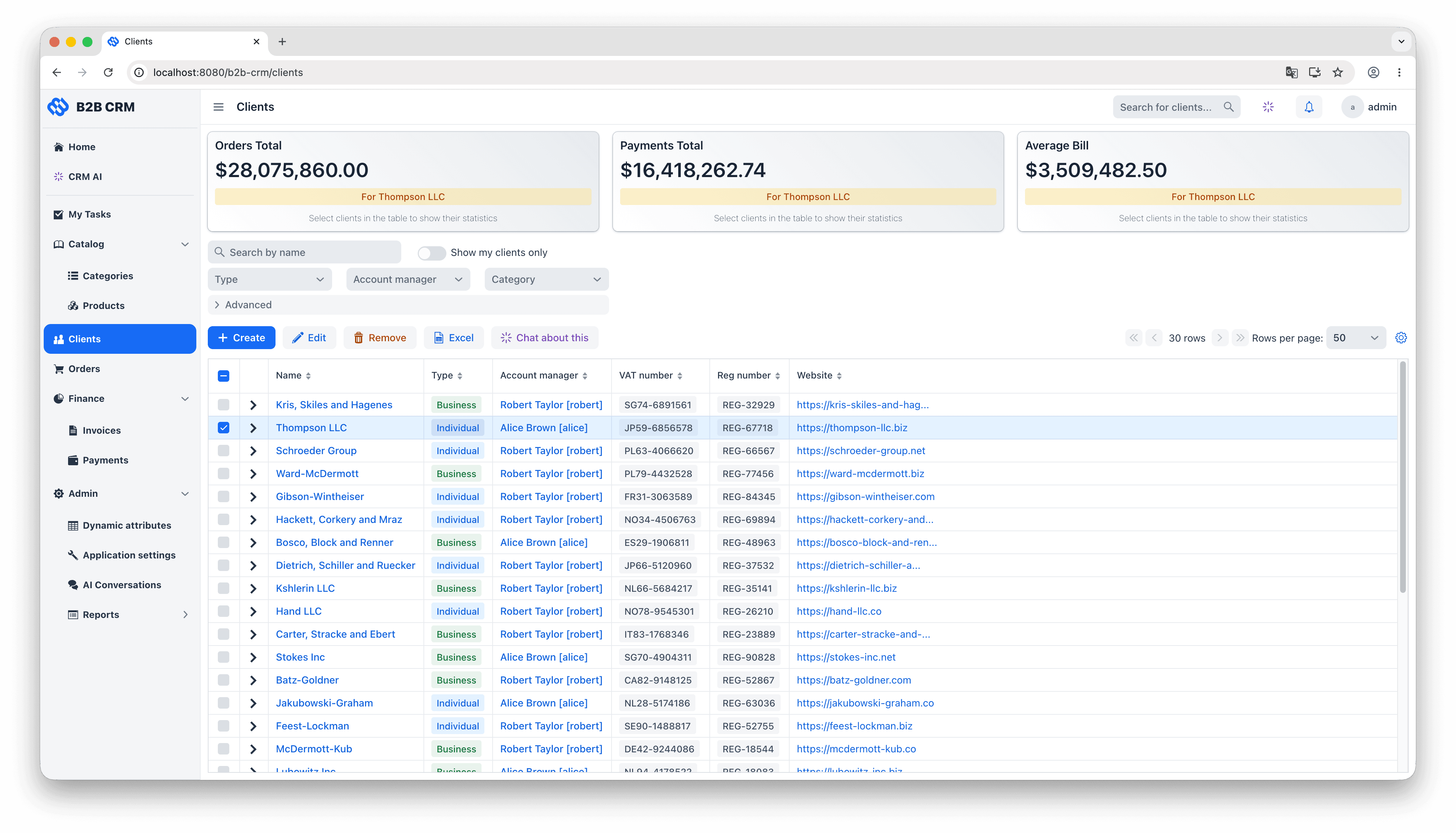
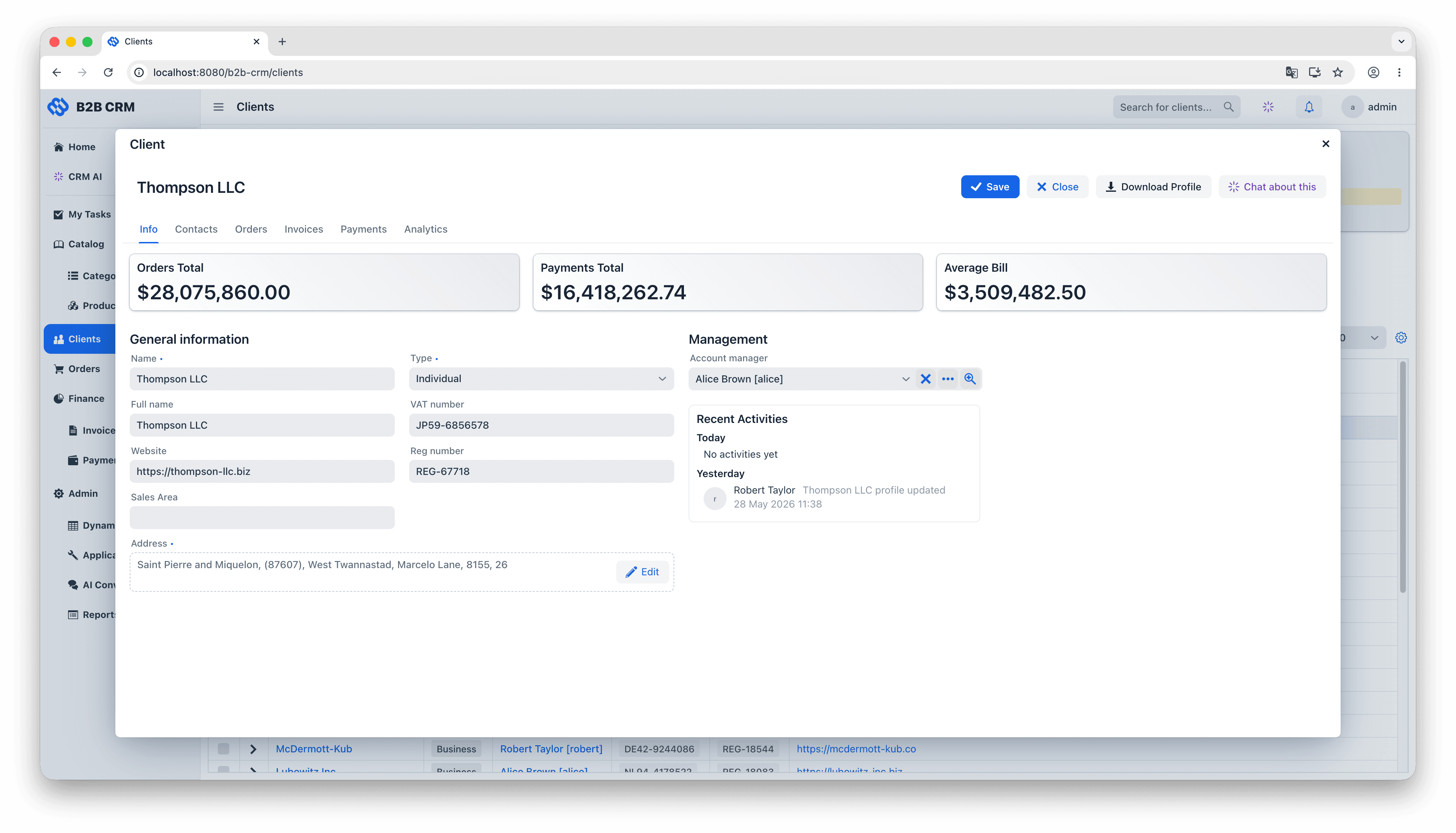
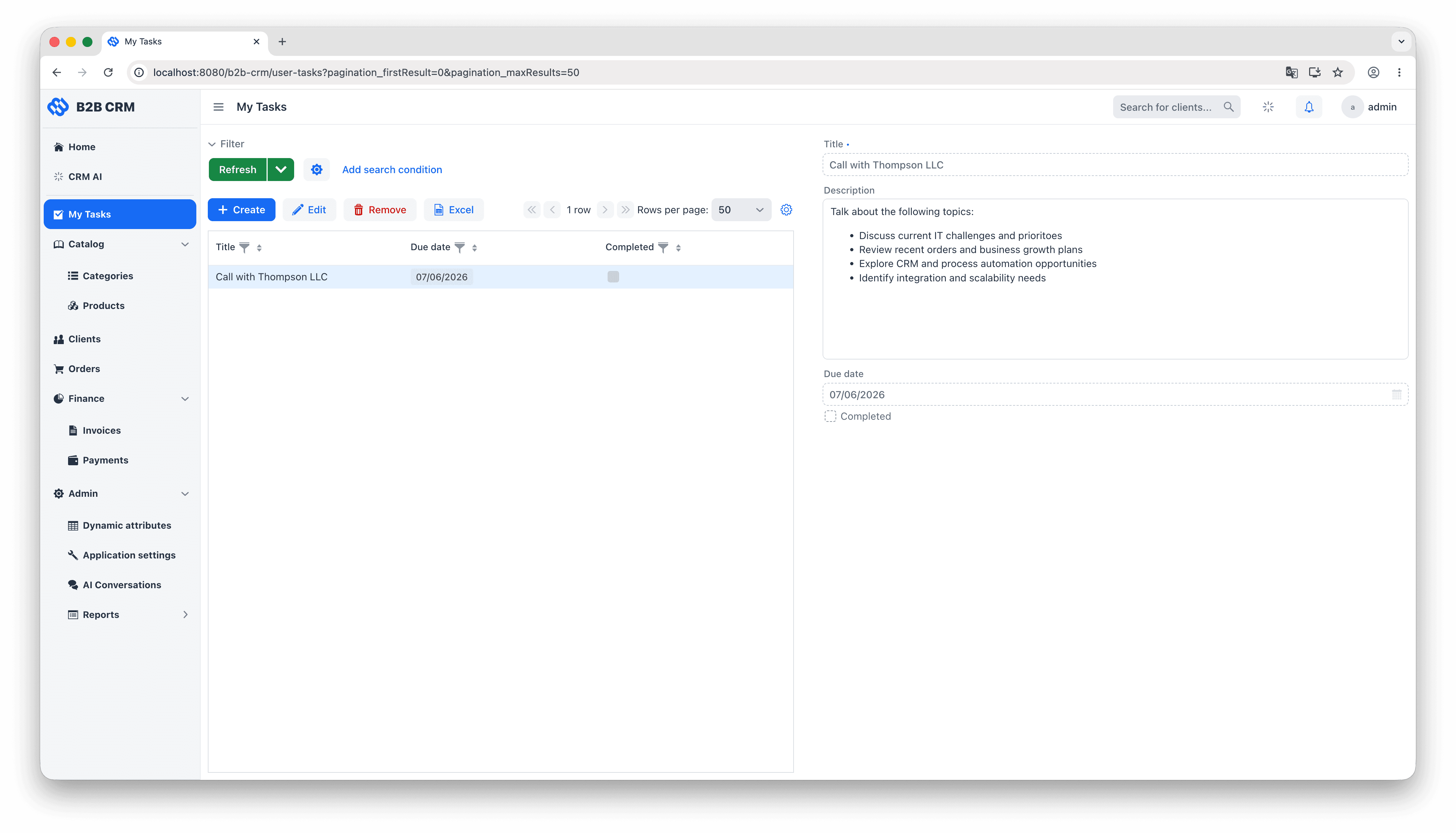
The CRM uses Jmix's Vaadin-based UI layer to deliver the kind of complexity an enterprise sales application actually needs: master/detail forms with inline-editable grids, role-aware dashboards, multi-tab record views, file uploads, deep-linked filters, and so on. This is not a chatbot bolted onto a database, and it is not a generic admin panel. It is a UI that a sales team can sit in front of for an eight-hour day. The AI Conversations screen sits as one more view inside that application, opened from the same main menu and bound to the same data containers as everything else.


One security model for both the user and the AI
Roles are declared in code (AdministratorRole, SupervisorRole) and applied uniformly. Because every entity access (UI binding, REST API call, AI tool execution) goes through DataManager, the same row-level and attribute-level constraints govern all of them. A sales rep clicking through a screen, an external integration calling the REST API, and the AI agent running a JPQL query are all subject to exactly the same rules. There is no side door for the AI to reason about, no separate analytics user with read-everything access, and no shadow permission system that has to be kept in sync with the production one.
Business logic lives in Reports
The Jmix Reports add-on is where the complex business calculations live: “overdue invoice”, “client lifetime value”, “cash-flow risk by category”, and the rest of the metrics every sales team disagrees about until someone defines them once. Wrapping that logic in a Report means the calculation is reviewed in one place, version-controlled, and produces the same numbers every time it runs. The AI agent picks them up through the Run Report tool and uses them as-is.
Try the Demo in Five Steps
Step 1. Clone the GitHub repository
Clone the project from GitHub and open it in IntelliJ IDEA with the Jmix Studio plugin installed (Community Edition is fine).
Step 2. Activate the AI features
Set your OpenAI API key in spring.ai.openai.api-key in application.properties. That single setting activates the AI features; until a real key is in there, the chat input stays disabled and the rest of the application works without it. To run inference locally instead, install Ollama, download a tool-calling model (Google's Gemma 4 or similar), and swap the OpenAI starter for spring-ai-starter-model-ollama in your build file (and consider running the QA test suite against the local model first). Other Spring AI providers (Anthropic, Azure OpenAI, Bedrock and so on) work the same way through their respective starter.
Step 3. Run the application from Jmix Studio
Start the Spring Boot application from Jmix Studio.
Step 4. Sign in and explore
Sign in with the demo administrator account. Click through Clients, Orders, Invoices and Payments to get a feel for the data and the UI patterns.
Step 5. Open CRM AI
Open CRM AI from the main menu and start a new chat. Try one of the suggested prompts (“top ten clients by revenue last quarter”, “invoices overdue more than 30 days”, “generate a Client 360 report for Acme”) and watch the agent call its tools in sequence and assemble the final answer.
Conclusion
Building a serious B2B CRM on Jmix is a planning exercise, not a research project. Every layer in the demo, from the data model and the security rules through the reports, the AI tools and the Vaadin UI, is composed from Jmix building blocks any team can reuse for its own domain.
The fastest way to evaluate this is hands-on. Clone the repository, plug in a model, and ask the agent a question from your own domain. You will see quickly whether this fits your project.
Get started
Clone the B2B CRM demo on GitHub · Try the live demo · Read the documentation · Schedule a demo with the Jmix team


